Stack Color 3D cover

Puzzle game

Stack Color 3D

Colour-matching collection run where you stack same-colour bricks and steer around the rest.

Difficulty
Easy
Compatibility
See device support below

Game overview

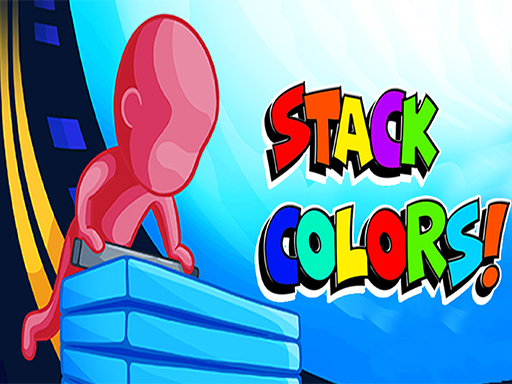
Stack Color 3D sends a character down a course strewn with coloured bricks, and only bricks matching your own colour are worth collecting. Touch a matching brick and it stacks up underneath you automatically; run into the wrong colour and the stack takes a hit. Each level presents a fresh scene and a different colour to hunt, so the job is steering cleanly rather than reacting quickly.

This title is best suited to players who want a light colour-matching run they can steer with one finger.

How to play Stack Color 3D

  1. Check which colour your character is carrying this level
  2. Steer along the course toward bricks of that colour
  3. Touch matching bricks to add them to the stack automatically
  4. Steer clear of bricks in every other colour
  5. Reach the end of the scene with the tallest stack you can hold

Controls

  • Mouse or tap: hold and steer the character left or right along the course

Objectives and failure conditions

Objectives

  • Collect as many bricks in your own colour as possible and carry the stack to the end of the level.

The run ends or fails when

  • Collecting bricks of the wrong colour costs you stacked bricks and can empty the stack.

Gameplay mechanics

  • Automatic stacking on contact, so collection is about positioning rather than timing a button.
  • Colour matching decides whether contact builds the stack or cuts it.
  • Every level changes the scene and the target colour, which resets the pattern you were reading.

Device compatibility

Desktop browsers

Mouse or trackpad: Stack Color 3D loads straight into the page on desktop Chrome, Edge, Firefox and Safari with no download or plugin. Controls used: Mouse or tap.

Phones and tablets

Touch controls: Stack Color 3D is driven by pointer input, which maps to tap and drag on a touch screen.

Tips for Stack Color 3D

  • Look ahead down the lane rather than at the brick directly in front of you
  • Give up a couple of bricks to avoid a cluster of wrong colours; the trade pays
  • Settle into the middle of the lane when the course crowds up

What worked well and what did not

Pros

  • Instantly readable goal with one-finger steering
  • Scene changes keep the levels from blurring together
  • Forgiving enough for very short sessions

Cons

  • The core loop stays the same from start to finish
  • Little challenge for players who want a real puzzle

Player comments

No published comments yet.